You know that feeling when you stare at the bathroom cabinet, wondering if you took your morning pills or just forgot? It’s a stressful gap in memory that happens to millions of people every single day. Forgetting a dose isn’t just an inconvenience; it’s a major health risk. The World Health Organization reports that about half of all patients with chronic conditions don’t take their medicine as prescribed. This non-adherence costs the U.S. healthcare system between $100 billion and $289 billion annually in avoidable hospitalizations. But here is the good news: technology has caught up. Modern medication reminders are digital tools designed to improve medication adherence by delivering timely prompts for drug administration. They have evolved from simple phone alarms into sophisticated systems that can predict when you might miss a dose and alert a caregiver before it becomes a crisis.
Setting these up correctly is not just about hitting 'save' on a calendar event. It requires understanding how notifications work, which apps actually integrate with your pharmacy, and how to avoid the 'alert fatigue' that makes people delete these apps within a week. If you want a system that sticks, you need to build it with precision.
Why Simple Phone Alarms Fail
We’ve all tried setting a recurring alarm on our iPhone or Android phone labeled "Take Pills." Why does this method usually fail after two weeks? Because standard alarms are dumb. They ring at 8:00 AM whether you are asleep, in a meeting, or already dressed for work. They lack context.
Research from the Journal of Medical Internet Research shows that combined notification systems-using both push notifications and SMS alerts-result in 87% higher adherence rates than single-channel systems. More importantly, modern dedicated apps use what experts call "context-aware notifications." These systems can detect if your phone is locked (meaning you’re likely asleep) or if your calendar shows a meeting, and they adjust the alert volume or timing accordingly. Dr. Joseph Kvedar’s team at Harvard Medical School validated this approach in early 2024, showing that reducing irrelevant noise keeps users engaged longer. When an app respects your time, you respect its reminders.
Choosing the Right Platform for Your Needs
Not all reminder apps are created equal. Some are great for young professionals managing one supplement, while others are built for seniors managing complex regimens involving ten different drugs. Here is how the top contenders stack up based on 2024-2025 performance data:
| App Name | Best For | Key Feature | Limitation |
|---|---|---|---|
| Medisafe | AI-driven personalization | Adherence Engine analyzes 27 behavioral variables | No direct pharmacy integration |
| Mango Health | Retail pharmacy connectivity | Partnerships with 65,000+ U.S. pharmacies | Limited caregiver features |
| MedAdvisor | Australia/New Zealand users | Seamless prescription transfer via My Health Record | Advanced analytics restricted to partners |
| Round Health | Apple ecosystem users | Superior Apple Health integration | iOS only, no Android support |
| CareZone | Family management | Comprehensive multi-user profiles | Lower database accuracy (92.3%) |
If you live in New Zealand or Australia, MedAdvisor is a leading medication management platform serving over 1 million users across Australia and New Zealand. Its integration with local health records makes setup nearly effortless. For those in the U.S., Medisafe holds about 28% of the market share because its AI engine learns your habits. If you consistently snooze your 9:00 AM alarm until 9:15 AM, the app eventually shifts the suggestion to 9:15 AM, removing the friction that causes missed doses.
The Setup Process: Avoiding Common Pitfalls
Setting up a robust system takes between 37 and 112 minutes, depending on how many medications you take. Rushing this step is the number one reason systems fail. Follow this specific workflow to ensure accuracy:
- Verify Time Zones First: Sounds obvious, right? Yet, MedAdvisor’s data shows that time zone errors cause 22% of early-stage failures. If you travel often, ensure your app uses the IANA timezone database with automatic daylight saving adjustments. Check this manually during your initial setup.
- Use Barcode Scanning: Typing out "Metformin 500mg" leaves room for human error. TopflightApps’ 2024 analysis found that barcode scanning reduces input errors by 83%. Scan every bottle. Cross-reference the result with the RxNorm database (which contains over 350,000 drug entries) to ensure the dosage matches exactly.
- Configure Notification Channels: Don’t rely on just one alert type. Set up a hierarchy. Start with a silent vibration. If ignored, escalate to an audio alarm. If still ignored after 47 minutes-a sweet spot identified by Mayo Clinic research-trigger a caregiver alert. This staggered approach reduces missed doses by 63%.
- Grant Permissions Carefully: Many apps fail silently because users deny background permissions. Ensure your app has permission to run in the background and send notifications even when the screen is off. On iOS, check "Allow Notifications" and enable critical alerts if available. On Android, disable battery optimization for the specific health app.

Managing Complex Regimens and Polypharmacy
If you take more than five medications a day, you are entering the danger zone of "alert fatigue." University of Pittsburgh research found that 38% of users with polypharmacy (>10 meds) experience overwhelming annoyance from constant pings, leading them to disable alerts entirely.
To combat this, look for apps that offer "smart grouping." Instead of five separate alarms for breakfast meds, group them into one "Morning Stack" notification. However, be cautious with spacing. Some drugs must be taken apart from food or other medications. Apps like Medisafe now flag potential interactions automatically. For example, if you set Calcium and Iron to be taken together, the app will warn you that calcium blocks iron absorption, suggesting a two-hour gap. This level of intelligence turns a simple reminder into a safety net.
Involving Caregivers and Family
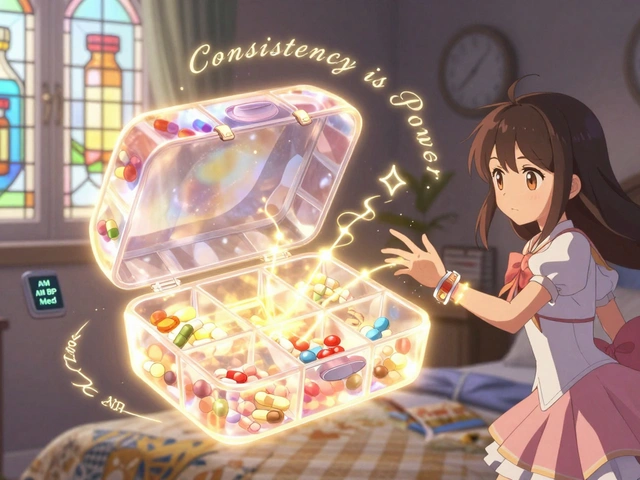
For seniors or those with cognitive decline, a phone alarm alone is rarely enough. In fact, SeniorsGuide.com’s 2024 survey found that physical reminder systems like compartmentalized pillboxes with alarms achieved 82% adherence compared to 67% for smartphone apps alone. However, combining both yields the best results.
Set up caregiver access tiers immediately. Most premium apps offer three levels:
- View-Only: Allows family to see adherence scores without interfering.
- Edit Schedules: Lets caregivers add/remove meds if the patient forgets.
- Emergency Override: Sends immediate alerts if a dose is missed by a certain threshold.
Dr. Mitesh Patel’s study at UPenn showed that adding streak counters and milestone rewards increased 30-day adherence by 37 percentage points. While younger users love gamification, note that 89% of users over 65 find badges distracting. Customize this feature based on who is using the device. For a senior parent, keep it simple: clear text, large buttons, and immediate caregiver notification on misses.

Troubleshooting Technical Issues
Even the best systems glitch. Here are the most common issues and how to fix them:
- Battery Drain: Users complain about 15% daily drain. To mitigate this, turn off unnecessary location services unless you need geo-fencing (e.g., "remind me when I get home"). Use Wi-Fi sync instead of cellular data where possible.
- Silent Failures: If your phone says "Do Not Disturb," your meds won’t ring. Create a custom DND schedule that allows calls and notifications from your health app specifically. This is a crucial setting on both iOS and Android.
- Pharmacy API Drops: Trustpilot reviews frequently mention refill alerts failing due to pharmacy API changes. If you stop getting refill notices, manually check your pharmacy’s website once a month. Do not rely solely on the app for inventory management.
Future-Proofing Your Health Data
As we move further into 2026, interoperability is becoming key. Look for apps that support HL7 FHIR standards. This allows your medication history to sync securely with your Electronic Health Record (EHR) at the doctor’s office. When your GP sees your adherence data directly in their system, they can adjust prescriptions more accurately. CMS regulations now mandate high-accuracy tracking for Medicare plans, meaning this integration will become standard soon. Choosing an app today that supports these open standards ensures you won’t have to migrate your data again in two years.
Is it better to use a smart pillbox or a phone app?
It depends on the user's tech literacy and budget. Smart pillboxes like Hero Health cost around $199/month but achieve 82% adherence in seniors because they physically dispense the pill. Phone apps are free or low-cost ($29/year) and offer richer data insights but require the user to actively interact with the device. For most adults, a phone app with caregiver alerts is sufficient. For elderly users with dexterity or memory issues, a hybrid approach (app + physical box) works best.
How do I stop my medication reminders from draining my battery?
First, disable background location services unless you specifically use geo-fenced reminders. Second, ensure the app is whitelisted from battery optimization settings in your phone's power management menu. Third, switch from cellular data syncing to Wi-Fi-only syncing. Finally, reduce the frequency of visual checks; instead of checking the app hourly, rely on push notifications which consume significantly less power than opening the app repeatedly.
Can medication apps track drug interactions?
Yes, most reputable apps like Medisafe and Mango Health integrate with databases like RxNorm to flag potential interactions. If you schedule two medications that shouldn't be taken together, the app will notify you. However, always verify critical interactions with your pharmacist or doctor, as apps may not account for every individual physiological variable or new clinical studies released after the app's last update.
What should I do if I miss a dose despite the alarm?
Most apps include a "Missed Dose" protocol. When you mark a dose as missed, the app should advise whether to take it immediately or skip it, based on general medical guidelines for that specific drug. Always follow the specific instructions provided by your pharmacist. If you miss multiple doses in a row, contact your healthcare provider, as this may indicate the medication needs adjustment or the regimen is too complex.
Are my health data and medication lists private?
Reputable apps use HIPAA-compliant AES-256 encryption to protect your data. They also employ biometric security like Face ID or Touch ID. However, privacy policies vary. Free apps may sell anonymized aggregate data to researchers or advertisers. Premium apps typically promise stricter data isolation. Always review the privacy policy, looking for mentions of third-party data sharing, and opt-out of marketing communications where possible.